
4.6 Excellent on Trustpilot
Excellent
5.000+ ๐Ÿ“ธ per week

Passport Photo Online

Save time and money: try our tool to get your compliant biometric photos online. Visas, passports, residence permits - you can get them all done online. Print it yourself or get it delivered home. For both online and in-person applications. Easy to print at CVS or Walgreens (ca. 30 cents), 4x6 Photo Print!

Upload icon

Compliant Image Processing

Over 5,000 users rely on our online passport photo service every week.

100% Money-Back Guarantee

We validate your images and provide 100% refund for rejection of compliant photos.

Easy to Print

Print at any local print shop, pharmacy, etc. Standard 10x15cm (4x6 inches) photo paper supported.

Delivery Available

Don't leave your house to get your passport photos: we provide postal delivery.

After creating your passport photo, choose digital, print, or pickup

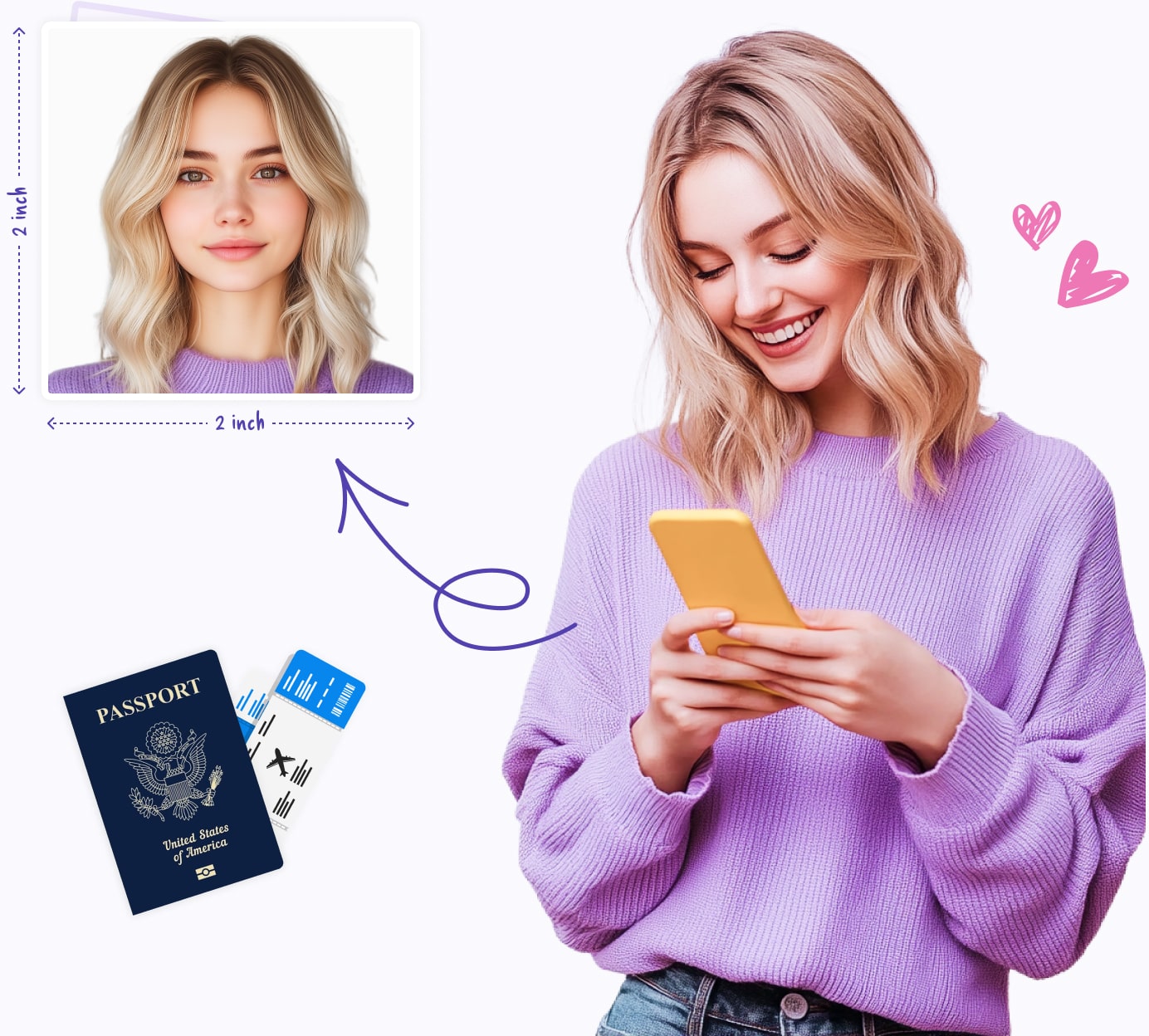
Passport-Selfie creates a US 2x2 passport photo that you can use as a digital file, a print-ready 4x6 sheet, or a starting point before visiting a local photo counter.

Passport photo requirements, USA

When preparing passport photos in the United States, it's essential to follow the official guidelines from the US Department of State. Below, you'll find a concise summary of these requirements:

  • Your passport photo should be in full color, accurately reflecting your natural skin tones.
  • The photo's dimensions must be 2 inches by 2 inches (2x2 inches or 5.1x5.1 centimeters).
  • Ensure that your head is centered within the frame, measuring between 1 inch and 1 3/8 inches (25-35mm) from the bottom of your chin to the top of your head.
  • Choose a background that is plain white or off-white, free from any patterns or shadows.
  • Keep a neutral expression or a natural smile, with both eyes open and directly facing the camera, while keeping your mouth closed.
  • Note: Eyeglasses are generally not allowed, except for medical reasons.
  • Head coverings are permitted solely for religious or medical reasons, as long as your entire face is visible from the bottom of your chin to the top of your forehead.
  • Avoid wearing uniforms, clothing resembling uniforms, or camouflage attire in your photo.

Digital passport photo for online renewal

If you are renewing a US passport online, start with a digital photo rather than scanning or photographing a printed passport picture. The US Department of State says online renewal photos must be recent, in color, free of filters or retouching, and uploaded as a JPG, PNG, HEIC, or HEIF file between 54 KB and 10 MB.

For the best result, have someone else take the photo, stand several feet from a plain white or off-white wall, keep your shoulders visible at the bottom of the frame, and avoid sending the file through text messages because compression can reduce quality. The online renewal portal may let you crop the photo, but an employee still reviews it after submission. For a focused upload checklist, see the online passport renewal photo guide.

Print your passport photo after creating it online

If you want printed copies without paying full-service pharmacy passport photo prices, create a 4x6 print-ready sheet first and order it as a standard photo print. The safest workflow is to keep the full 4x6 file visible in the checkout preview and avoid any automatic crop, zoom, border, or fit-to-frame change.

Start with the complete 4x6 passport photo printing guide, or use the CVS and Walgreens guides if you already know where you want to print.

Sources and last review

Last reviewed: May 10, 2026. Passport photo rules and retailer services can change, so verify official requirements before submitting your application.

Related US passport photo guides

2x2 passport photo hub Check US size rules, digital upload basics, 4x6 printing, and local options. US passport photo requirements Check 2x2 size, head position, background, glasses, digital rules, and rejection fixes. Create a 2x2 passport photo online Use the Passport-Selfie generator for a digital file or 4x6 print sheet. Online passport renewal photo guide Prepare a digital photo file for the State Department renewal upload. Print a passport photo on 4x6 paper Follow the no-crop workflow for pharmacies and photo labs. Passport photo cost guide Compare full-service photos, digital files, and lower-cost 4x6 printing. Passport photo near me options Compare USPS, CVS, Walgreens, Walmart, home printing, and online preparation. CVS & Walgreens passport photo printing Compare full-service photos with the lower-cost 4x6 route. Baby passport photo at home Follow US infant photo requirements and safe at-home setup tips. Walgreens passport photo guide Step-by-step Walgreens printing tips and common mistakes. CVS passport photo guide How to prepare a compliant file before CVS printing. Walmart passport photo guide Print a prepared 2x2 passport photo sheet without resizing mistakes. Target passport photo guide Check Target Photo options before printing a prepared 4x6 passport photo sheet. FedEx passport photo guide Check FedEx Office options and prepare a compliant 2x2 photo before you go. USPS passport photo guide Check post office photo options and how to prepare your photo before an appointment.
Frequently Asked Questions
Can I create a US passport photo online?
Yes. You can upload a phone picture, crop it to the US 2x2 passport photo format, and download a digital file or a print-ready 4x6 sheet. Always check the final photo against current US Department of State requirements before submitting it.
Can I use the digital photo for online passport renewal?
Use a digital photo only if you are eligible for online renewal and the file meets the upload rules. The image should be recent, in color, unfiltered, and saved as a JPG, PNG, HEIC, or HEIF file within the State Department size limits.
Where can I print a 2x2 passport photo in the US?
You can print a prepared 4x6 sheet at many photo counters or labs, including CVS, Walgreens, Walmart, Target, and FedEx Office where available. Keep the full 4x6 sheet visible in the checkout preview so the 2x2 photos are not cropped or resized.
What are the main US passport photo requirements?
A printed US passport photo must be 2x2 inches, in color, recent, taken on a plain white or off-white background, and show a clear front view of your face. Glasses are generally not allowed unless you have a medical exception.
Can I take a baby passport photo at home?
Yes. Place the baby safely on a plain white or off-white sheet, keep the camera straight above the face, and make sure the child's eyes are open if possible. Do not use hands, toys, shadows, or filters in the final image.
What happens if my generated photo is rejected?
If an authority rejects a compliant photo generated with Passport-Selfie, contact customer service so the team can review the case and help resolve the issue.
selfie